
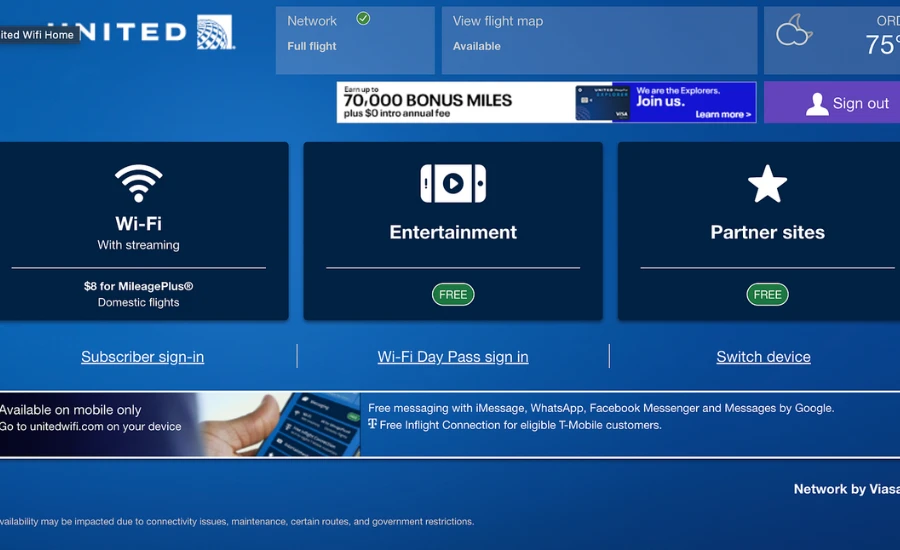
United Airlines offers in-flight WiFi on the majority of its domestic and international flights. Coverage, speed, pricing, and connection quality vary significantly depending on the aircraft type, route, and provider. Here is everything you need to know before and during your flight.
Quick Reference Table
| Detail | Info |
|---|---|
| WiFi Provider (domestic) | Starlink (SpaceX) — rolling out across fleet |
| WiFi Provider (some aircraft) | Viasat, Gogo |
| Connection Portal | unitedwifi.com (connect once on board) |
| MileagePlus Members | Free WiFi on many domestic flights with registered MileagePlus number |
| United Club Members | Complimentary WiFi on most flights |
| United Polaris Business Class | Complimentary WiFi on international widebody aircraft |
| Day Pass | Available for purchase — covers a full travel day |
| Monthly Pass | Available through United’s WiFi subscription |
| Speed (Starlink) | High-speed — streaming capable |
| Speed (older providers) | Varies — some older aircraft have slower connections |
| Devices Allowed | Typically 2 per purchase |
United’s WiFi Upgrade: Starlink
United is in the middle of a major WiFi upgrade. The airline began installing SpaceX Starlink satellite WiFi on its aircraft in 2024 and is rolling it out across its fleet through 2026 and beyond.
Starlink provides significantly faster and more consistent speeds than the older Viasat and Gogo systems. On Starlink-equipped aircraft, streaming video, video calls, and large file transfers work reliably — a major improvement over the spotty connections many travelers experienced on older systems.
As of mid-2026, Starlink is installed on a substantial portion of United’s narrowbody domestic fleet (Boeing 737s and Airbus A320-family aircraft) and is being added to widebody international aircraft. Whether your specific flight has Starlink can be checked when booking or in the United app under your flight details.
Who Gets Free WiFi
United has expanded free WiFi access significantly since 2024.
MileagePlus Members: United offers complimentary WiFi on most domestic mainline flights to MileagePlus members who have registered their MileagePlus number with their account. You must be logged into your MileagePlus account when connecting on board to receive the complimentary access.
United Club Members: Complimentary WiFi is included with United Club membership on most United-operated flights.
United Polaris Business Class (International): Passengers in Polaris class on international widebody routes receive complimentary WiFi.
United First (Domestic): Check your specific fare — complimentary WiFi policies for domestic first class have varied and are subject to ongoing changes. Verify in your booking or the United app.
Basic Economy passengers: WiFi must be purchased. Basic Economy fares do not include complimentary WiFi even for MileagePlus members on some routes — confirm your fare’s WiFi policy when booking.
How to Connect to United WiFi
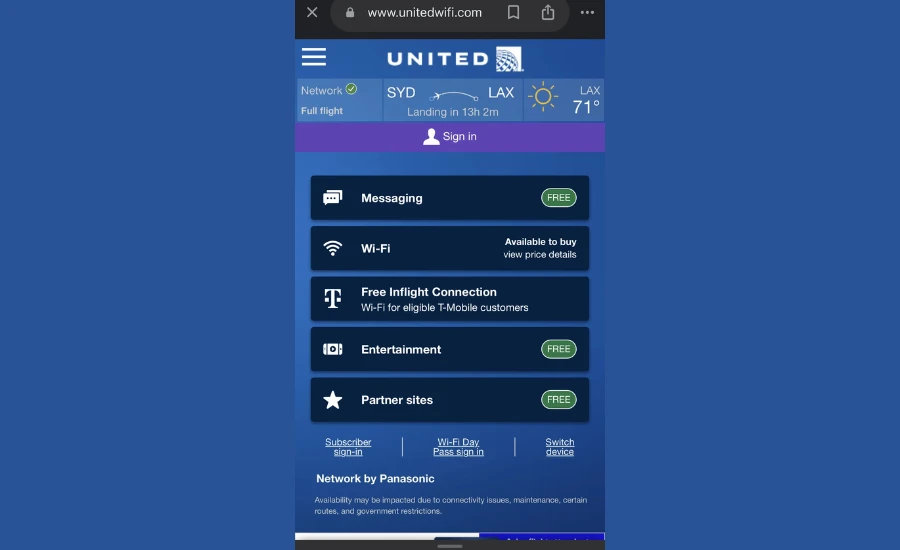
- Board your flight and ensure your device is in airplane mode
- Enable WiFi on your device (WiFi can be on while cellular is off in airplane mode)
- Connect to the WiFi network — it will appear as “United_WiFi” or similar
- Open a browser — you will be redirected automatically to the United WiFi portal
- If you are a MileagePlus member eligible for free WiFi, log in with your MileagePlus credentials
- If purchasing, select your plan and complete payment
- Once connected, open any app or browser normally
If the portal does not appear automatically, navigate manually to unitedwifi.com in your browser.
WiFi Pricing (When Not Complimentary)
United’s WiFi pricing is dynamic and varies by flight length, route, and demand. General ranges:
| Plan | Approximate Price |
|---|---|
| Single flight (short domestic) | $8–$12 |
| Single flight (longer domestic) | $12–$18 |
| Full travel day pass | $20–$30 |
| Monthly subscription | ~$49/month |
Prices are set at the time of connection and may differ from these estimates. The portal will show you the current price for your specific flight when you connect.
Day passes cover all United WiFi connections within a 24-hour period — useful if you have a connection and need WiFi on both flights without paying twice.
Monthly subscriptions are available for frequent travelers and provide unlimited WiFi on United flights throughout the subscription period.
WiFi Speed and What You Can Do
On Starlink-equipped aircraft:
- Streaming video (Netflix, Hulu, YouTube) — yes, reliable
- Video calls (Zoom, FaceTime, Teams) — yes, generally reliable
- Email and messaging — fast
- Large file downloads — manageable
- Online gaming — possible, though latency varies
On older Viasat or Gogo systems:
- Email and messaging — reliable
- Light web browsing — reliable
- Streaming video — possible but may buffer
- Video calls — inconsistent, not recommended for important calls
- Large file downloads — slow
The aircraft type and WiFi provider for your flight can often be found in the United app or by searching your flight on United’s website.
International Flights
WiFi availability and speed on international flights depends on the aircraft and route.
United’s widebody international fleet (Boeing 787, Boeing 777, Airbus A350) is being progressively upgraded with Starlink. On aircraft with Starlink, international connectivity is significantly improved. On aircraft still using older systems, speed and availability over oceanic routes can be inconsistent.
Check your specific flight’s WiFi provider in the United app when your flight is confirmed.
Common Issues and Solutions
Portal not loading: Confirm you are connected to the United WiFi network (not a cellular connection). Navigate directly to unitedwifi.com. Try a different browser if the portal does not load automatically.
MileagePlus free WiFi not working: Confirm your MileagePlus number is associated with your ticket. Make sure you are logged into your MileagePlus account when connecting. Some fare classes (Basic Economy) may not be eligible — check your fare type.
Connection dropping mid-flight: This can happen over remote areas or when the aircraft transitions between satellite coverage zones. Reconnect to the network and return to unitedwifi.com to resume your session.
Slow speeds despite Starlink: During peak usage times with many passengers connected simultaneously, speeds may be reduced. This is most noticeable on full flights during peak travel periods.
Charged but cannot connect: Save your receipt. Contact United customer service after landing for a refund — 1-800-864-8331 or through the United app.
United WiFi vs Other Airlines
| Airline | Primary Provider | Free WiFi? |
|---|---|---|
| United | Starlink (rolling out) | Yes — MileagePlus members, domestic |
| Delta | Starlink (rolling out) | Yes — SkyMiles members, domestic |
| American | Viasat / Starlink | Limited — some loyalty benefits |
| Southwest | Starlink | No — purchase required |
| JetBlue | ViaSat | Free on most flights |
United and Delta are generally considered the leaders in domestic free WiFi availability for loyalty program members as of 2026.
You may also like MyVikingJourney
FAQ
1. Does United have WiFi on all flights?
Most United mainline flights have WiFi. Some regional partner flights (operated by SkyWest, Mesa, GoJet) may not. Check your specific flight in the United app.
2. Is United WiFi free?
For MileagePlus members on most domestic mainline flights, yes. United Club members and Polaris Business Class passengers also receive complimentary WiFi. Basic Economy passengers and non-members must purchase access.
3. How do I connect to United WiFi?
Enable WiFi on your device in airplane mode, connect to the United WiFi network, and navigate to unitedwifi.com. Log in with your MileagePlus credentials for complimentary access or purchase a plan.
4. What is Starlink WiFi on United?
SpaceX’s satellite internet service, which United is installing across its fleet. It provides significantly faster and more reliable speeds than older in-flight WiFi systems, enabling streaming and video calls.
5. How much does United WiFi cost?
Typically $8–$18 for a single domestic flight depending on length, or $20–$30 for a full day pass. Monthly subscriptions are available for approximately $49/month. Prices vary dynamically.
6. Can I stream Netflix on United WiFi?
On Starlink-equipped aircraft, yes. On older Viasat or Gogo systems, streaming may work but can be inconsistent.
7. Does United WiFi work for video calls?
On Starlink aircraft, generally yes. On older systems, video calls are unreliable and not recommended for important meetings.
8. How do I know if my flight has Starlink?
Check the United app under your flight details, or look for the aircraft type — Boeing 737 MAX and A320-family aircraft that have been upgraded will show Starlink availability.
9. Can I use a day pass on connecting flights?
Yes. A day pass covers all United WiFi connections within a 24-hour period, so you can use it on both a connecting outbound flight and a return flight within the same day.
10. What do I do if I was charged but WiFi did not work?
Save your receipt and contact United customer service after your flight at 1-800-864-8331 or through the United app for a refund.
11. Does Basic Economy include free WiFi?
Generally no — Basic Economy fares typically do not include the complimentary WiFi benefit available to MileagePlus members on standard fares. Confirm your fare type when booking.
12. Is United WiFi available on international flights?
Yes on most international flights, though speed and reliability vary by aircraft. Widebody aircraft being upgraded with Starlink offer the best international connectivity.